Tasks, departments, and who can see what
Tasks is the largest thing we have built and never announced. It has been doing real work for a year, and this week a task can finally belong to a department rather than to a person. Here is each part, what it does, and what it does not.

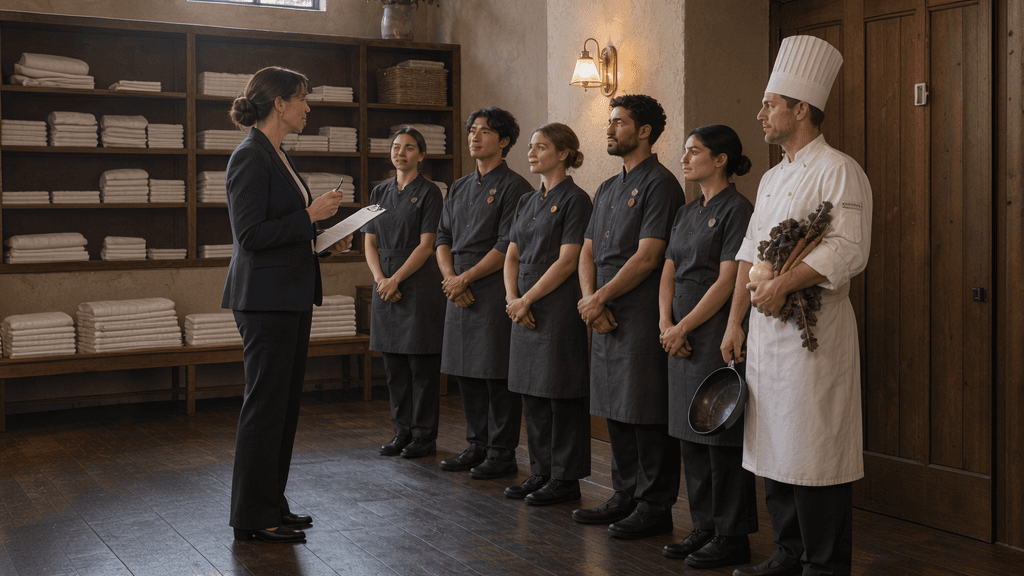
It is 15:00 on a changeover Saturday. Eleven units out, eleven in. One arrival is running two hours late, one departure has not gone, 14 wants a travel cot, and the guest in 7 asked about the kayaks an hour ago.
None of it is a crisis. All of it is work. And almost none of it is assigned to anybody — it is being remembered, by whoever is behind the desk, until their shift ends.
Tasks is the largest thing we have built and never announced. It has been doing real work for a year while every week of this series found something guest-facing to talk about instead. This week it gets its write-up, and one genuinely new piece: a task can now belong to a department rather than to a person.
Here is each part, what it does, and what it does not.
Tasks
What it is. A piece of work with an owner, a state, and a place it belongs.
A task sits against a reservation or a listing. That is the structural difference from the task app you probably run alongside your PMS: yours has never heard of the booking, so somebody reads the reservation and types the room number across by hand.
The details
- Owner: a person, a department, or nobody. Unassigned is allowed.
- States: open, completed, cancelled, and auto-closed — deliberately not the same word as completed.
- Auto-close: a task can carry a time after which it closes itself, and it then reads auto-closed. So "thirty tasks closed last week" does not quietly blend work somebody did with work the clock ate.
- Where they live: a filterable task index, plus a Tasks tab on each reservation and each listing.
- History: reassignment is written into the task's own timeline, so you can see where something has been.
What it does not do yet. The open-versus-closed filtering is not reliable — completing a task by hand does not stamp the field those filters read. Read the list, not the count. We are fixing it.
Departments — new this week
What it is. A group of people a task can belong to, instead of one named person.
Until this week a task went to an individual. Fine, until that individual has Thursday off and the work does not.
The details
- A department is a name and a colour. Nine colours. That is the entire model, and the engineer who specified it put it better than a marketing line would: a department is in the end a badge with a colour.
- People can be in several. Somebody can be in housekeeping and maintenance at once.
- Assignment is one or the other. In the admin you pick a department, or a person, or leave it unassigned.
- The email fans out. Every active member who has task notifications switched on gets one, with its own subject line saying a task was assigned to their department.
- Badges appear in four places: the task itself, the task index, and the Tasks tab of the reservation and the listing. The index filters by department.
- Operators is now Staff. The admin menu is renamed, with a Departments tab beside it listing each department, its colour, its member count and who is in it.
- Over the API: Connect gets departments as a proper type, with
departmentIdon task create and update and a filter on the task query. Task webhooks carry a department block. The MCP tools can put a task into a department too.
The part to read twice
Assigning a task to a department tells everybody in it and makes nobody responsible.
There is no claim button. Nothing locks to the first person who opens it. The individual owner stays empty on purpose, so a department task cannot quietly become somebody's personal one just because they looked at it. Six people get an email; the task sits there owned by a group.
For a lot of work that is right. Towels to 14 can be done by any of four housekeepers and it does not matter which — sending it to one named person means it waits when she is off.
For other work it is wrong. If one person is the only one who can do the thing, send it to that person.
Use a department for work any of them can do. Keep a person on work only one of them can.
What it does not do yet
- A member with task notifications switched off gets nothing, and you are not told. Assign to six people where two have them off, and four people hear about it.
- The department email is English only, though the admin is English and Dutch.
- Deleting a department unassigns its tasks and notifies nobody. Empty it first.
- Removing somebody from the workspace removes them from every department in it.
- No hierarchy — no sub-departments, no default department per unit, no rota or service levels attached to one.
- Over MCP an agent can set a department but not list them yet.
- There is no manual page. It shipped this week and the documentation has not caught up, so this post is currently the documentation.
Tasks that create themselves
What it is. One specific thing that opens a task without anybody deciding to.
When a reservation syncs in from a channel without usable contact details — no email, no phone, or a phone number that cannot be parsed — the integration notices while parsing and opens a task.
The details
- Live on three integrations: iCal, HostHub and MyTourist, each with its own switch.
- It routes to the operator you nominate for that integration.
- It de-duplicates on the integration, the reservation and the reason, so a feed that re-syncs forty times does not hand you forty tasks.
- Why this one: a booking with no phone number does not announce itself. It is found at four on the Saturday they were due, by somebody holding a key and no way to reach anyone. Opening the task at sync time moves that discovery three weeks earlier.
One other automatic creator, and it is not an integration: when the AI concierge searches your guidebooks and finds no answer, it opens a content-gap task rather than inventing one. That queue is a to-do list for your content.
What it does not do. A booking does not open a task. Nor does a cancellation, an early arrival, or a purchased extra. Those four are what "tasks are created from PMS events" usually implies, and they are the four we do not have — they need a general event engine, which is not built.
Permissions
What it is. Per-person control over what each member of your team can see and change.
The details
- Thirty resources in the catalogue — tasks, check-ins, conversations, reservations, listings, guidebooks and so on. Twenty-four readable and writable, six read-only.
- Granted per member, one set at a time. Owners bypass the checks entirely.
- For departments specifically: managing them needs Workspaces → Write, seeing them needs Operators → Read, assigning a task to one needs Tasks → Write. There is no separate departments permission.
- A newly invited operator starts with only Workspaces → Read, so they will not see departments until you tick the boxes.
What it does not do. There is no role object — owners and members with a hand-picked set, not "head of housekeeping" defined once and applied to four people. Permissions are scoped to the workspace, not to a property, so you cannot give somebody two of your five sites and not the other three. Departments group people; they do not scope access.
One login across your sites
What it is. If you run more than one property in HolidayHero, your team signs in once and moves between them.
What it does not do. It does not narrow anything to a subset of sites. There is no way to scope a view, or the day board, to the three sites somebody actually works. It is the whole workspace or none of it.
Already there: the day board and manifests
Two screens you may already have, mentioned because operations people keep finding them late.
The day board is one day across every occupied unit, with the stay laid along the working day and filters for arrivals, stayovers and departures. It got substantially faster this quarter — a 500-room property now renders it in under half a second. It shows the stay. It does not show tasks and it does not assign work to anyone.
A manifest is one item on one day across every guest who ordered it, with a shared check-off list and a printable sheet. It is the screen a breakfast shift works from.
Both are written up in the itinerary post from October.
"We already use a task app"
Most properties do, and it is usually a good one. The difference is not the task list.
Your task app knows nothing about your guests, so every connection between the two is made by a person: somebody reads the booking, somebody types the room number, somebody remembers that the travel cot belongs to the family arriving Friday. That person is load-bearing and they go home at six.
Hans Brinker Hostel consolidated four point solutions into HolidayHero and dropped the overlapping subscriptions. What moved them was not better features — it was that the task list, the conversation and the reservation stopped needing to be kept in agreement by hand.
The number, and what it covers
Across our customers the whole platform gives back 40+ hours a month per property. That figure covers everything we do — guest messaging, check-in and compliance, upsell handling, reporting and admin — so please do not read it as the value of Tasks.
We do not have a tasks-specific figure. When we have one it will arrive with its workings.
Where to start
Two things, neither of which needs a demo.
One. Open your task list and ask what your team did last week that nobody had written down, and how much of it would have been better with an owner and a state.
Two. Look at your channel bookings for missing phone numbers. That is the one thing here that will find work you did not know you had.
Then, if you are setting up departments: make one per group of people who are interchangeable for a given job, not one per job title. The test is the rule above — any of them, or only one of them.
More on what to look at during a changeover is in the 15:00 checklist, and the argument around all of it sits on the operator's cockpit.
HolidayHero runs on top of the property system you already have, across 3,500+ properties, in 23 countries and 100+ languages. Pricing is published, from €6.50 per unit per month.
Frequently asked questions
Can I assign a task to a team instead of a named person?+
Does a new booking automatically create a task?+
Who gets notified when I assign a task to a department?+
Can I give a member of staff access to only some of my properties?+
Does the day board show open tasks?+
What is the difference between a completed task and an auto-closed one?+
Keep reading