Tasks.
Attached to the work they're about.
Work with an owner, a state, and the thing it belongs to: a reservation, a listing, a guest conversation, a review or a supplier. For short-term rentals and hotels alike.
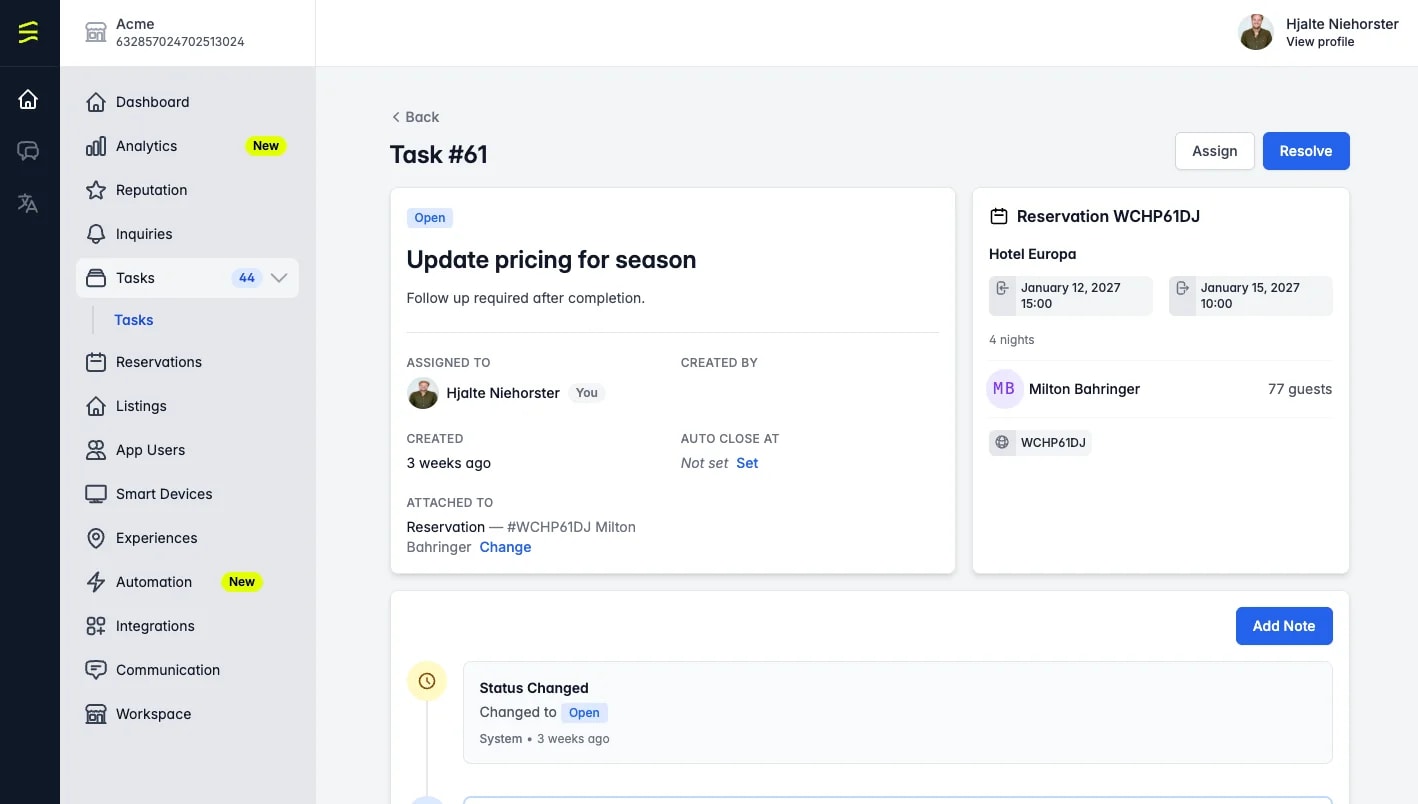
The job, and the guest, unit or supplier it is for, in one place. Open it from the record it belongs to or from the task list.
Who owns what, what is still open, and what closed itself, across the whole property, filtered by department.
In one paragraph
Tasks is the to-do list that lives on the things your team already works with. A check-out opens the housekeeping task for that room. A guest's maintenance request becomes a job for your supplier. A low review gets a follow-up with a name on it. Twelve apartments or two hundred rooms, the work leaves the notebook and the group chat.
What it does
A task has an owner, a state and a place.
A task is attached to the record it is about: a reservation, a listing, a guest conversation, a review or a supplier. It carries that context with it, so whoever picks it up sees the guest, the unit or the supplier without searching.
Open work shows up on the record it belongs to, and in one task list across the property.
The guest checks out of 3B. A housekeeping task opens for the room.
The dripping tap in unit 7, still there for whoever stays next.
A guest writes that the air conditioning has stopped. The task sits on that thread.
A low score comes in. Somebody owns the follow-up.
The maintenance request goes to your plumber as a supplier task.
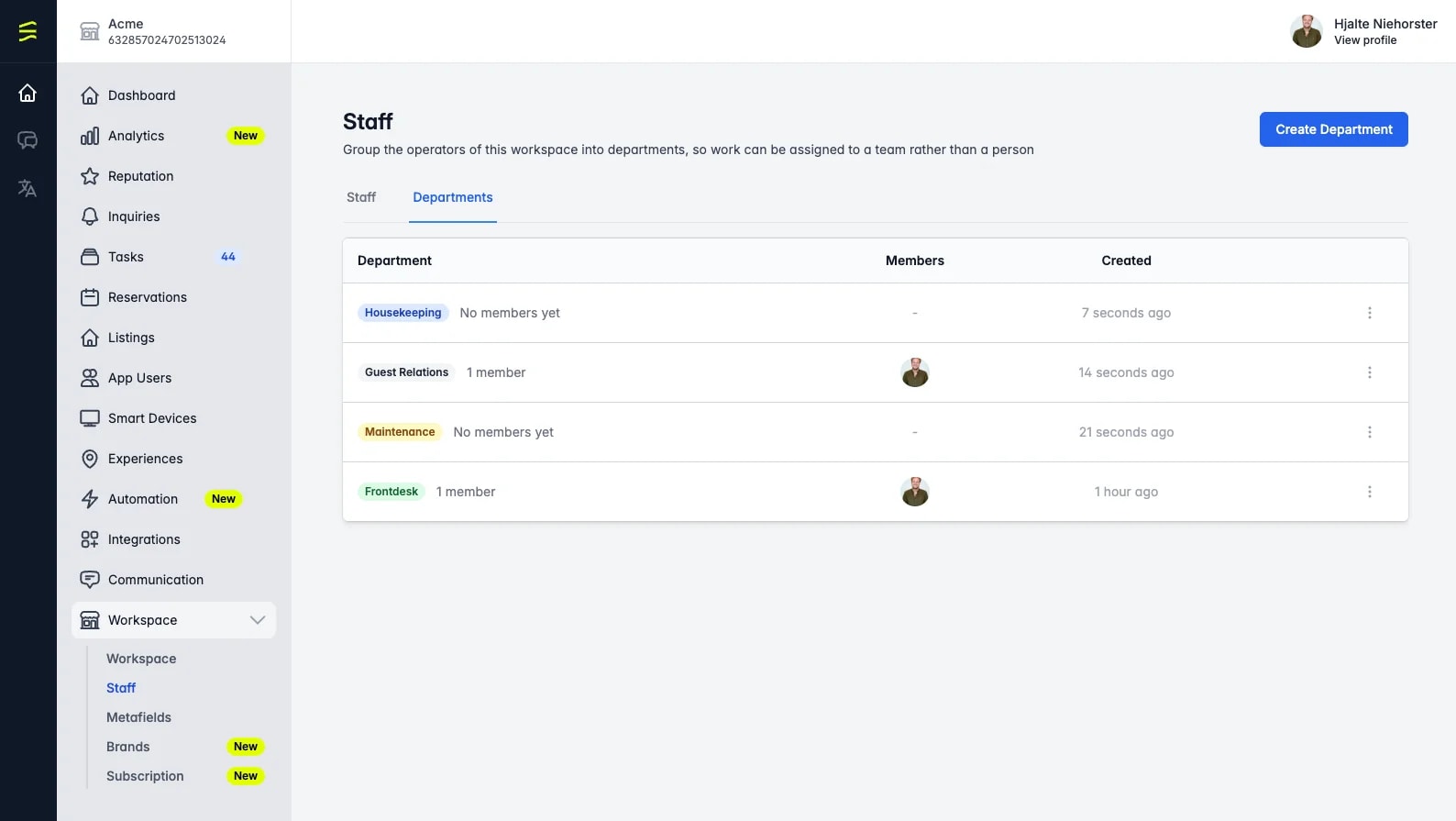
A name, a colour and a list of members. The badge shows on the task and on the task list, and the list filters by it, so housekeeping sees housekeeping's work.
A check-out opens the housekeeping task for that unit. A low review score opens a follow-up on the review. Invalid or missing contact details, and guest questions the AI concierge can't answer, open one too.
Per integration, you choose the person who receives the tasks that create themselves. Pick a person, not a department, for the reason further down.
Follow one task
Who hears about it. Who owns it.
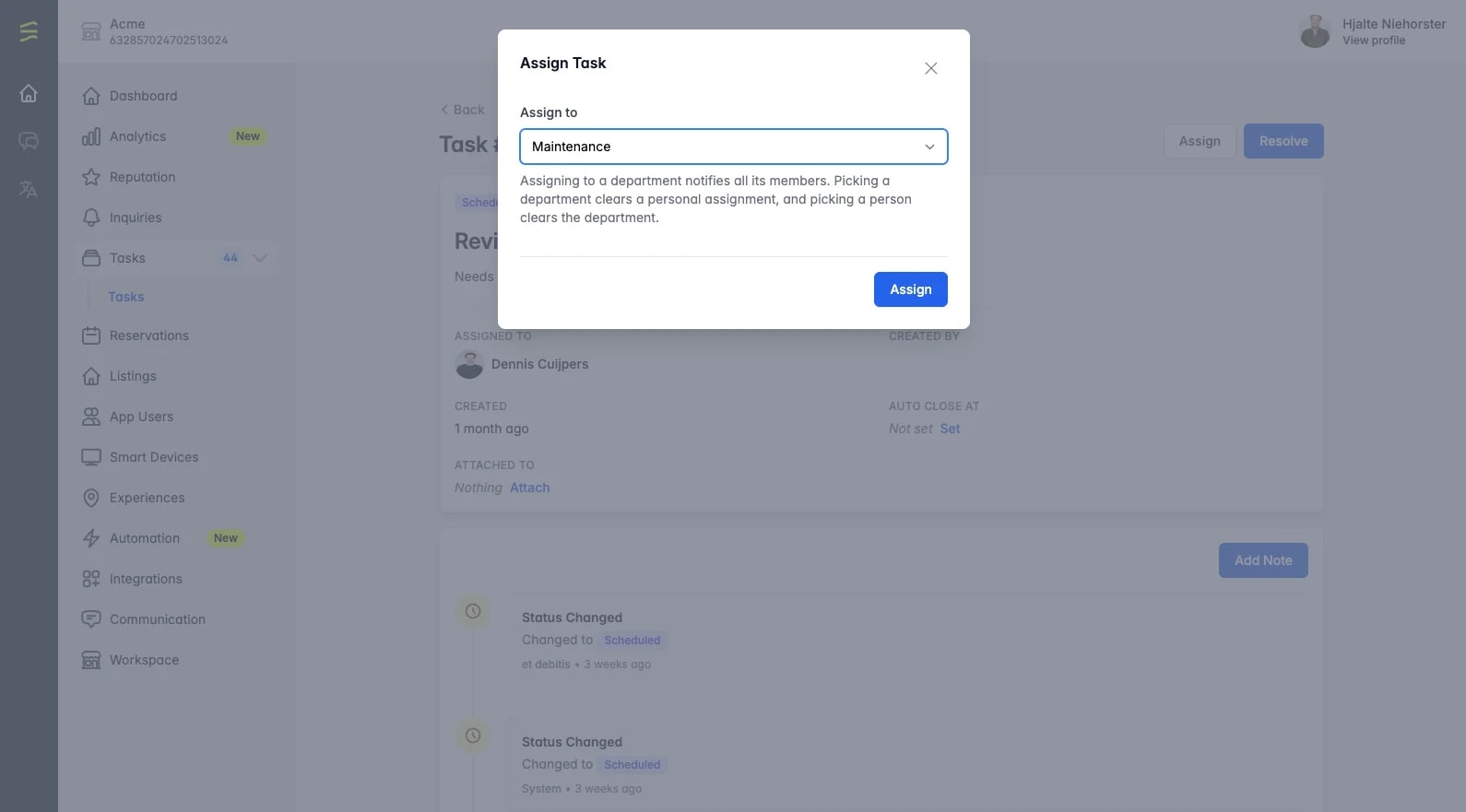
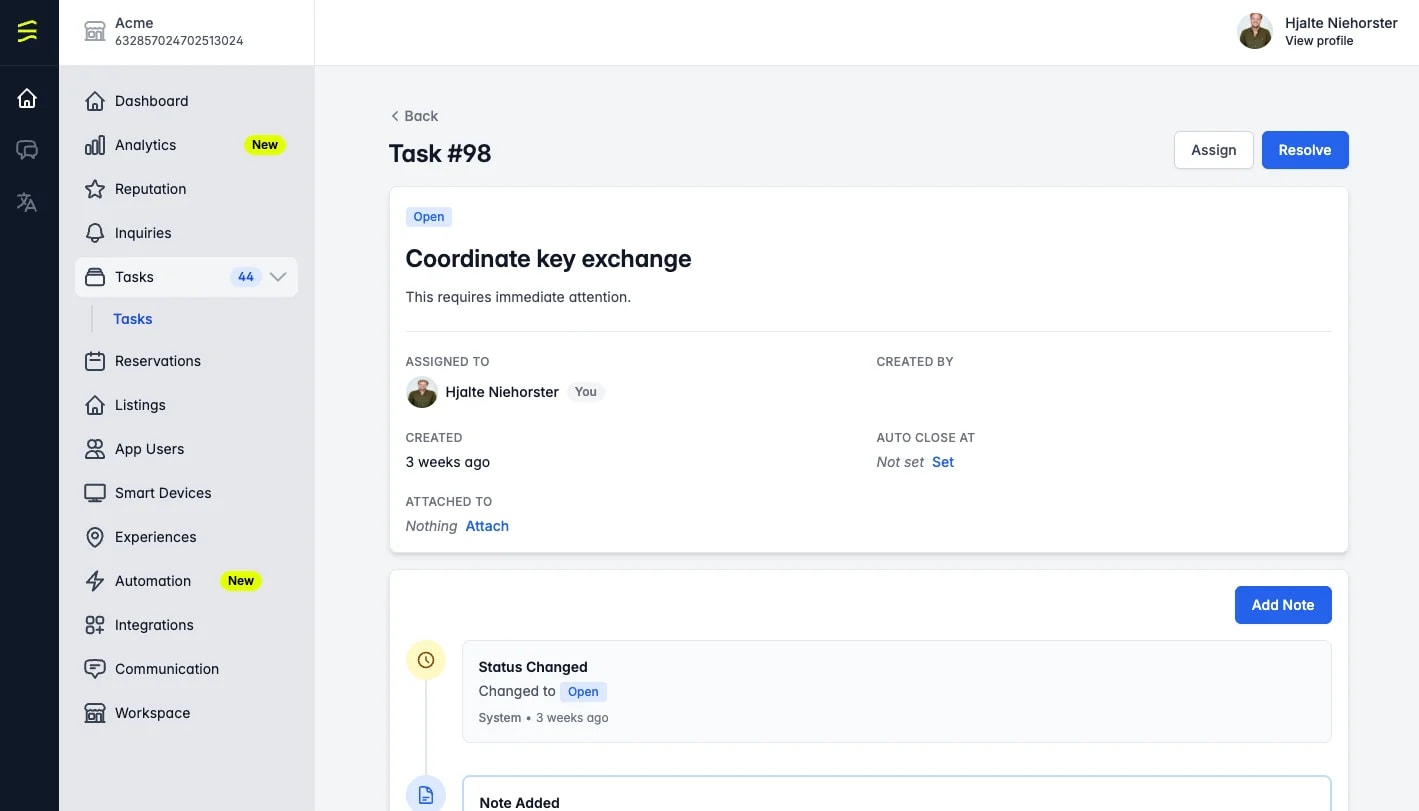
The same task, assigned three ways and closed four ways. Pick one and see what changes.
Created by the check-out, on that reservation.
Every member of Housekeeping, by email.
Sent when the task is assigned.
Nobody in particular. There is no claim button.
Use it for work any of them can do, like turning over 3B after check-out.
Which is not the same thing.
Assigning a task to a department tells everybody in it and makes nobody responsible. There is no claim button. Use a department for work any of them can do. Keep a person on work only one of them can.
Open: the task is waiting for its owner. Every task starts here.
Give a task an auto-close date and it closes itself when that date arrives, done or not. Leave it empty and the task stays open until somebody closes it. Cancelled means somebody called it off; auto-closed means the date ran out.
Access is set per team member, across thirty resources. Tasks and departments are among them. Check what a new colleague starts with before you invite a seasonal team.
Your PMS
Tasks live in HolidayHero, not in your PMS.
Put a task on any reservation HolidayHero has synced, whichever system it came from. What differs is which tasks open by themselves. See every integration.
Good to know
Questions, answered.
Do I need a separate task app?+
Can I assign a task to a whole team?+
Do some tasks create themselves?+
Can a task close itself?+
Related
Where to go next.
Every task has an owner. Make it a person.
Bring one busy check-out day from your property. We will set it up as tasks, with departments and suppliers, while you watch.